
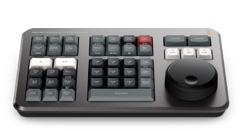
DaVinci Resolve Speed Editor
Description
The Blackmagic Design DaVinci Resolve Speed Editor is a compact professional editing controller designed to make video editing faster and more tactile inside DaVinci Resolve.
Instead of relying entirely on a mouse and keyboard, the Speed Editor provides dedicated physical controls for navigating footage, setting edit points, trimming clips, controlling playback, and performing common editing operations. Its large search dial provides precise control when scrubbing through footage and trimming edits.
The controller is particularly useful for editors working on commercial productions, YouTube content, documentaries, interviews, corporate videos, weddings, music videos, and other projects requiring fast editing turnaround.
Key Features
- Designed specifically for DaVinci Resolve
- Large professional search/jog dial
- Dedicated edit function keys
- Source Tape workflow
- In/Out point controls
- Live trimming controls
- Transport controls
- Direct timecode entry
- Dedicated transition controls
- Bluetooth Low Energy wireless connectivity
- USB-C connectivity
- Built-in rechargeable battery
- Compact portable design
- Professional tactile controls
- Ideal for fast editing workflows
Large Search Dial
The centerpiece of the Speed Editor is its large search dial.
The dial provides precise control over timeline navigation and clip searching, allowing editors to quickly move through footage, locate specific frames, and perform accurate trims.
Combined with the dedicated buttons, the operator can keep one hand on the search dial while using the other hand for editing functions. Blackmagic specifically designed this workflow to reduce dependence on the mouse.
Source Tape
The Source Tape function allows editors to view and navigate through multiple clips as a continuous sequence.
This is particularly useful when working with large amounts of footage because the editor can quickly scan through material and identify the best shots without repeatedly opening individual clips.
Dedicated Editing Controls
The Speed Editor includes dedicated controls for common editing operations, including:
- Cut
- Append
- Insert
- Overwrite
- Place on Top
- Ripple Overwrite
- Close Up
- Source
- In/Out points
- Trim
- Transition controls
- Playback
- Timeline navigation
These physical controls can make repetitive editing tasks significantly faster than relying exclusively on keyboard shortcuts and a mouse.
Live Trimming
The Speed Editor is especially useful for trimming.
The large search dial can be used together with dedicated trim controls to quickly adjust edit points while watching the result in DaVinci Resolve.
This makes the controller particularly effective for:
- Dialogue editing
- Interview editing
- Commercial editing
- Documentary editing
- Social media videos
- YouTube content
- Narrative editing
- Fast-turnaround productions
Bluetooth and USB-C
The Speed Editor can connect to a computer through USB-C or Bluetooth Low Energy.
USB-C provides a direct wired connection while Bluetooth allows a cleaner wireless editing workstation. Blackmagic also specifies USB-C for configuration and software updates.
Compatibility
The DaVinci Resolve Speed Editor is designed specifically for DaVinci Resolve.
It is best suited for:
- DaVinci Resolve Free
- DaVinci Resolve Studio
- Mac
- Windows
- Linux
The exact operating-system requirements can vary by current DaVinci Resolve version. Blackmagic’s current specifications list modern macOS and Windows support.
Important: The Speed Editor is primarily designed around the DaVinci Resolve workflow and is not intended to function as a general-purpose editing keyboard for Adobe Premiere Pro or Final Cut Pro.
Related products
-
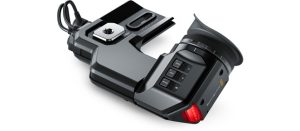
Blackmagic URSA Viewfinder
Price: $ 35.00 -
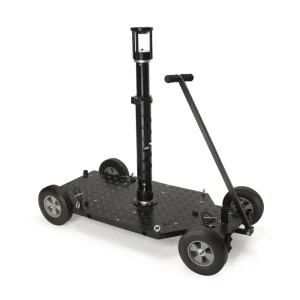
Proaim Quad Plus Professional Dolly System
Rental Price: $ 150.00/day -
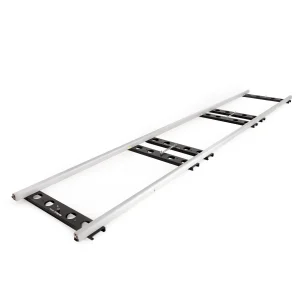
Proaim Stream 16ft Heavy-duty Cinema Track
Rental Price: $ 125.00/day -
Atomos Shogun (V1)
Rental Price: $ 40.00/day